


Background video recorder
4.13.92K Reviews
App Specs
- Version
- 7.5.12
- Updated On
- License
- Free
- Downloads
- 10,000,000+
- Developer
- lock screen passcode
- Categories
- Video Players & Editors
- Platform
- Android, iOS
Screenshots
 Analysis by AppCompare
I’m drawn to background recording for a practical reason: sometimes handling a phone openly changes the moment I want to capture. A camera app that can keep recording while I do something else may help in those situations, but discreet recording also calls for care. I would use it only where recording is lawful and appropriate, and never to invade someone’s privacy. With that in mind, I looked at what Background Video Recorder offers and where its approach may—or may not—make everyday use easier.
Reading the controls and finding a starting point
This is a video-recording app from the developer lock screen passcode, listed in the Video Players & Editors category. The basic idea is straightforward: begin a recording, then continue using the phone or leave it locked. That clear purpose is helpful if you want a focused tool rather than a general camera packed with modes. The app is free to install, has a 4.1 average from around 198,000 ratings, and has passed 10 million installs. It is rated for Everyone, though its background-recording purpose still makes thoughtful, responsible use important.
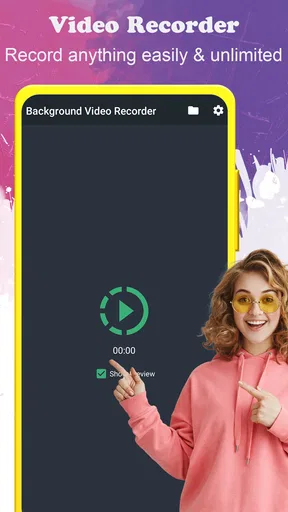
The published setup description presents a short route from opening the app to recording: allow the requested access, choose settings, and start. That is easier to understand than a camera interface built around several shooting modes. I would still take a moment to check the controls before relying on them. When a phone is locked or being used for another task, a clear way to start, stop, and later locate a recording matters more than decorative interface details.
Motor and sensory considerations in everyday use
A simple recording flow can reduce the number of taps and decisions, which may suit someone who finds dense menus tiring or who needs to get started quickly. The original feature set also mentions shortcuts and one-tap recording. Those could be useful when reaching for a small on-screen control is inconvenient, but the practical value depends on how the controls are configured and whether they are comfortable for you. I would test them in a calm setting first rather than assume a shortcut will be easy to use under pressure.
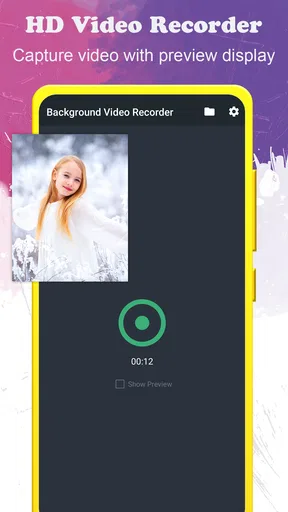
Background use has a sensory trade-off, too. Keeping the camera app out of the foreground may let you continue reading, navigating, or doing another phone task without a camera preview occupying the screen. That can make the phone less distracting, but it also means you may have less immediate visual feedback about framing. If you need to monitor exactly what the camera sees, a conventional camera app with a visible preview is the better fit. A brief test recording can show whether the background approach captures the view you expect.
When background recording helps—and when it does not
For an ordinary, consent-based use case, imagine recording a family gathering while keeping a phone available for a message or a schedule. The appeal is not that recording becomes effortless; it is that the phone can do more than one job during the session. Scheduling, described as an available feature, may also help when a recording needs to begin at a planned time. I would check that the phone is positioned safely, the intended time is correct, and there is enough available storage before leaving it to run.
That workflow differs from a standard camera app, which usually keeps recording controls and the live scene in view. A typical camera is better when composition, focus, or immediate feedback is the priority. This app’s background-oriented approach is more relevant when continuing to use the phone matters more than watching the preview. It is not a substitute for dedicated security equipment, and I would not rely on a phone app alone for a situation where dependable monitoring or evidence handling is essential.
Worth Reading Before You Choose

Flipboard Shows What News Apps Must Do Beyond the Feed

Switching to Android Auto Means Rethinking Your Driving Routine

Google Calendar Makes a Crowded Week Easier to Manage

Ludo King Makes the Most of the Minutes Between Plans

Baby Panda World Brings Quick Play to Modern Phones, but Its Game Library Feels Busy

ESPN’s Live Game View Makes Following Close Games Easier
Privacy, trust, and practical limits
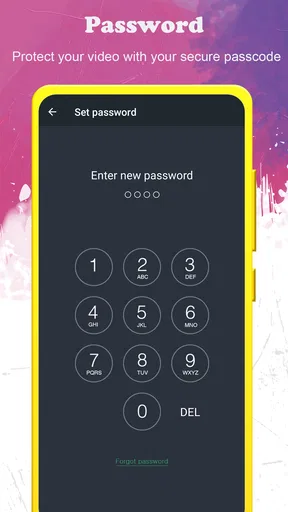
Stealth options and password protection can sound reassuring, but they do not remove the need to consider consent, local rules, or the privacy of people nearby. I would avoid recording in private spaces or capturing conversations without permission. For a shared household, it is also sensible to agree on where the phone may be placed and who can access saved clips. A discreet tool should not become a way to bypass another person’s expectations.
Cloud upload, also mentioned among the app’s features, may be convenient if you want a copy beyond the phone. It also changes how carefully I would handle a recording: before enabling any automatic transfer, I would check which account is connected and whether that destination is appropriate for the content. If a clip is sensitive, keeping it local may be preferable. In either case, check that the recording has actually saved before deleting or moving the original.
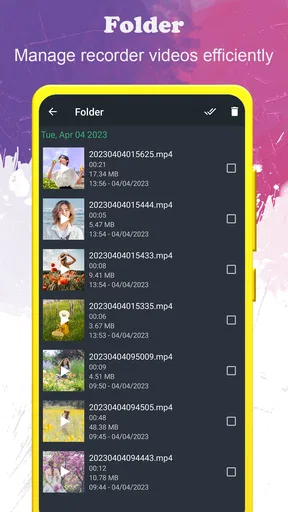
Background recording can also be affected by ordinary phone realities. A long session may use storage and battery, while movement, poor placement, or a covered lens can undermine the result even if the app is working. I would make a short test with the phone positioned as planned, then play it back with sound before depending on a longer take. That simple check answers several practical questions at once: whether the framing works, whether audio is usable, and whether the file is easy to find.
The app’s current version is 7.1.6, and it supports Android 6.0 or later. Optional in-app purchases range from $1.49 to $49.99 per item, so although the app is free to install, I would review any purchase prompt before proceeding. If you are choosing it for a particular phone, check compatibility in the relevant app store and try the free experience first. Background behavior can vary with device settings, so a test on your own handset is more useful than assuming every phone will behave identically.
How it feels to use and who may benefit
Getting started with this app is a breeze. Once you download and install it from the app store, you’re greeted with a clean and simple interface. No need to wade through endless menus or settings. Just a few taps and you’re ready to go.
- Open the app and grant the necessary permissions. The app will need access to your camera and microphone, which makes sense given what it does.
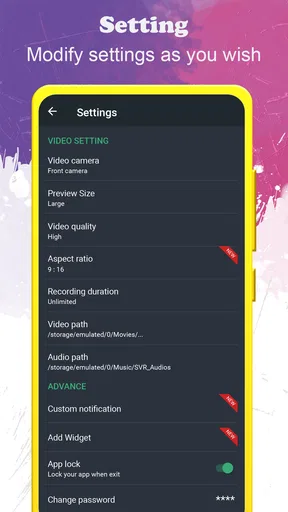
- Select your preferred video settings. The app allows you to customize things like video resolution, frame rate, and even the file format. It’s nice to have control over these aspects, especially if you’re mindful of storage space.
- Hit the record button, and you’re off!
One of the standout features is the ability to schedule recordings. If you know you’ll need to start recording at a specific time, just set it up, and the app will handle the rest.
Using the app in real life
In practical use, the app performs admirably. I tested it in various scenarios – from recording a birthday surprise to capturing a sunset while my phone was tucked away in my pocket. Each time, the app delivered smooth, clear videos without hiccups.
"The ability to use my phone as normal while recording was a game-changer!"
Another highlight is its stealth mode. The app can be set to record without displaying any notifications or icons, making it perfect for those times when you need to be discreet.
Features that stand out
Here are a few features that really stood out to me:
- One-tap recording: Easy to start and stop videos with a single tap.
- Customizable shortcuts: Set up your preferred shortcuts to make recording even faster.
- Integration with cloud storage: Automatically upload your recordings to services like Google Drive or Dropbox.
The app also offers password protection, so your recordings stay private. This is a thoughtful addition, especially if you’re using the app for sensitive recordings.
A measured recommendation
Overall, the app is a solid choice for anyone looking to capture videos on the sly. Its easy-to-use interface, coupled with features like stealth mode and cloud integration, make it a versatile tool. Whether you're a parent wanting to capture candid moments, or someone needing a security tool, this app has got you covered.
I would recommend it most to someone who has a specific, legitimate reason to record while doing something else on the phone, and who is willing to test the setup before an important moment. I would skip it if you need a visible live preview, careful camera composition, or a dependable dedicated surveillance system. For accessibility, the simpler flow and potential shortcuts may help some people, but they are not a guarantee that every control will suit every ability; trying the interface and a short recording is the sensible way to decide.
So, if you’ve been on the hunt for a video recording app that works quietly in the background, give it a try. It just might become your go-to app for all things video!
Pros
- Records video discreetly in the background.
- User-friendly interface for easy operation.
- Supports high-definition video recording.
- Runs smoothly without crashing.
- Allows scheduling of recordings.
Cons
- Consumes significant battery during use.
- Limited storage options for large files.
- Some features locked behind a paywall.
- Occasional lag on older devices.
- Requires access to multiple permissions.
FAQs for Background video recorder
How does the Background Video Recorder work?
The Background Video Recorder app allows users to record videos discreetly by running in the background. This means you can continue using other apps or even lock your phone while recording. The app operates without displaying a preview, ensuring that recordings are unobtrusive and private.
Is the app free to use, or are there in-app purchases?
The Background Video Recorder app is available for free download. However, it may offer in-app purchases or a premium version that unlocks additional features, such as higher video quality settings, longer recording durations, or removal of ads. Checking the app store listing will provide more details.
What privacy features are included in the app?
The app prioritizes user privacy by ensuring recordings are stored securely on your device. It does not upload videos to external servers without your consent. Additionally, users can set password protection for accessing the app to prevent unauthorized use.
What are the compatibility requirements for the app?
The Background Video Recorder is compatible with most modern Android and iOS devices. It requires a minimum operating system version, typically Android 5.0 or iOS 10.0, to function properly. Checking your device’s compatibility in the app store before downloading is recommended.
How much storage space does the app require?
While the app itself may only take up a small amount of storage, video recordings can quickly consume space depending on the resolution and length. Users are encouraged to monitor their available storage and regularly transfer or delete videos to maintain optimal device performance.


